Tactile keyboard switches have become increasingly popular among typists, gamers, and professionals seeking a precise and responsive typing experience. Unlike linear switches, tactile switches provide a noticeable bump when a key is actuated, helping reduce typing errors and improve overall comfort. In this guide, we’ll explore what tactile switches are, compare them with other switch types, highlight the best options available, and share tips for choosing the right switch for your setup.
What Are Tactile Keyboard Switches?
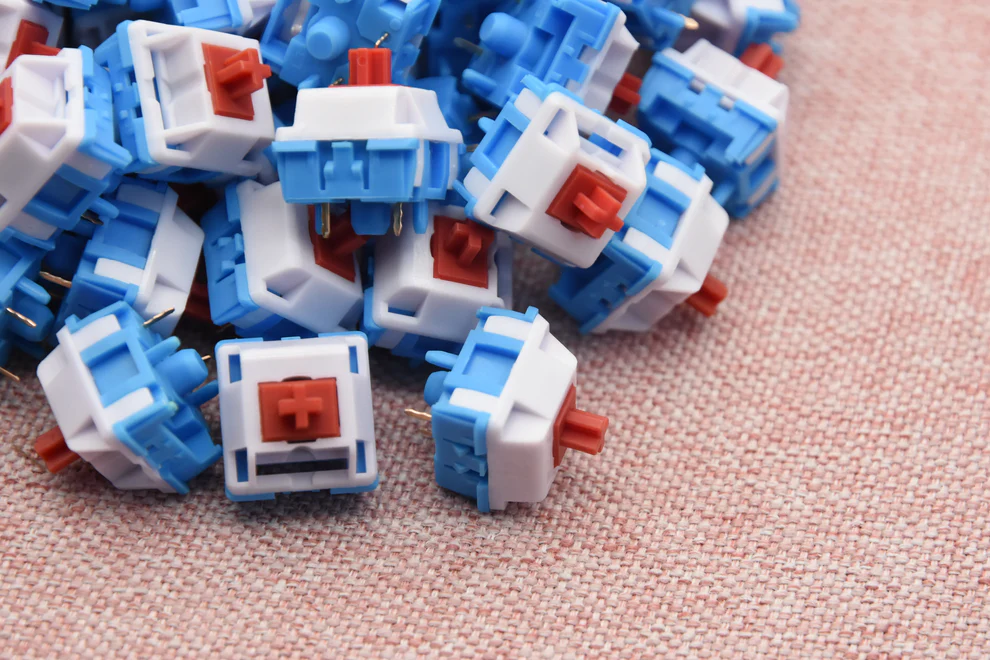
Tactile switches are mechanical keyboard switches designed to give users a subtle physical feedback—or “bump”—at the point of actuation. This tactile bump helps typists know exactly when a keypress is registered without bottoming out the key completely. Popular tactile switches include Cherry MX Brown, Gateron Brown, and Keychron’s tactile variants. According to Keychron’s guide on keyboard switches, tactile switches strike a balance between typing comfort and gaming responsiveness, making them versatile for mixed-use setups. Users who spend long hours typing report reduced finger fatigue and faster typing speed due to this tactile feedback. In real-world scenarios, tactile switches are often preferred in office environments where noise is a concern but precise key registration is still needed.
How Do Tactile Switches Differ from Linear and Clicky Switches?
Mechanical keyboard switches typically fall into three categories: linear, tactile, and clicky. Linear switches provide a smooth, consistent keystroke with no tactile bump or audible click, making them ideal for gaming where rapid key presses are required. Clicky switches, such as Cherry MX Blue, provide both tactile feedback and an audible click sound, which some typists enjoy but can be distracting in shared spaces.
Tactile switches, in contrast, provide a middle ground: a tactile bump without a loud click. This makes them suitable for both typing and moderate gaming, offering feedback that helps improve accuracy. According to Kinetic Labs, tactile switches can reduce typing errors by allowing users to “feel” the actuation point.
| Switch Type | Tactile Feedback | Audible Click | Ideal Use Case |
| Linear | No | No | Gaming |
| Tactile | Yes | No | Typing & Gaming |
| Clicky | Yes | Yes | Typing |
What Are the Best Tactile Switches on the Market?
Several tactile switches have gained popularity for their reliability, feel, and versatility. Here are some top options for 2025:
- Cherry MX Brown– Often considered the industry standard, Cherry MX Brown switches are smooth with a light tactile bump, suitable for both typing and gaming. Rated for over 50 million keystrokes, they are a durable choice.
- Gateron Brown– Similar to Cherry MX Browns but slightly smoother, Gateron Browns offer a softer feel at a more affordable price. Users often note the quieter operation compared to clicky switches.
- Keychron Tactile Switches– Keychron offers several tactile options compatible with hot-swappable keyboards. According to their official guide, these switches are designed for a balanced typing experience with moderate actuation force.
- Kailh Brown & BOX Brown– Popular among mechanical keyboard enthusiasts, Kailh switches are noted for smooth keypresses and long-lasting durability. BOX variants reduce key wobble and enhance stability.
| Switch Model | Actuation Force | Sound Level | Longevity |
| Cherry MX Brown | 45g | Moderate | 50M keystrokes |
| Gateron Brown | 45g | Quiet | 50M keystrokes |
| Keychron Tactile | 45-55g | Moderate | 50M keystrokes |
| Kailh BOX Brown | 50g | Quiet | 80M keystrokes |
How to Choose the Right Tactile Switch for Your Needs?
Choosing the right tactile switch depends on your primary use case, typing style, and preference for actuation force. For typists who spend long hours writing, lighter tactile switches like Cherry MX Brown or Gateron Brown reduce fatigue. Gamers may prefer switches with slightly higher actuation force for better control during fast-paced gameplay.
Consider the following factors when selecting a tactile switch:
- Typing Feedback:A stronger tactile bump provides clearer feedback but may slow down extremely fast typing.
- Noise Level:While tactile switches are quieter than clicky switches, some models are quieter than others. BOX variants, for instance, are especially silent.
- Compatibility:Hot-swappable keyboards allow you to test multiple switches before committing. Keychron’s hot-swappable boards are an excellent example.
- Durability:High-quality switches should last at least 50 million keystrokes, ensuring long-term reliability.
Real-world use cases: office environments often favor quieter tactile switches, while creative professionals who type extensively may prefer a slightly heavier tactile bump to reduce accidental presses.
What Are the Benefits of Using Tactile Switches?
Tactile switches offer several advantages over linear and clicky options. Key benefits include:
- Improved Typing Accuracy:The tactile bump helps typists know when a key has actuated, reducing errors.
- Versatility:Tactile switches strike a balance between typing comfort and gaming responsiveness.
- Reduced Fatigue:Users report less finger strain during extended typing sessions.
- Quieter Operation:Unlike clicky switches, tactile switches are office-friendly and don’t produce loud clicks.
Studies and user reviews highlight that tactile switches are increasingly chosen by professionals who need a reliable, comfortable, and moderately quiet keyboard for both work and gaming.
Conclusion
Tactile keyboard switches are a versatile and reliable choice for users who want a balance between typing comfort and gaming performance. By understanding the differences between tactile, linear, and clicky switches, and selecting a high-quality model from options like Cherry MX, Gateron, or Keychron, users can significantly enhance their typing experience. For those interested in exploring a wide range of tactile switches, check out our best tactile keyboard switches collection.
FAQs
Are tactile switches better for typing or gaming?
Tactile switches are versatile and suitable for both typing and moderate gaming, offering feedback without loud clicks.
How long do tactile switches typically last?
High-quality tactile switches usually last at least 50 million keystrokes, ensuring durability over several years.
Can I replace linear switches with tactile switches on my keyboard?
Yes, if your keyboard supports hot-swappable switches, you can easily replace linear switches with tactile ones for a different typing experience.