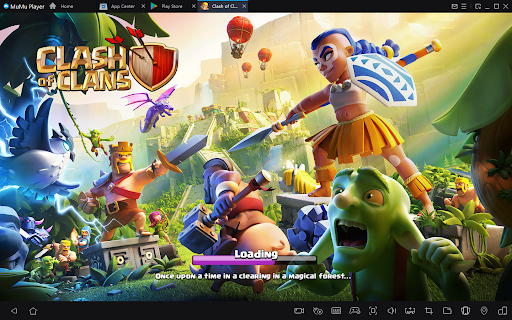
Lost a war triple because your thumb clipped the edge of a Rage? I have. Dropped a Freeze one tile off because a notification slid down mid-push? Done that too. That’s the difference between clean execution and chaos. And it’s why a lot of serious war players quietly move their longer sessions to PC using emulators like MuMuPlayer. This isn’t a different version of the game. You’re still playing Clash of Clans. Same account. Same servers. Same mechanics. What changes is control. And in competitive wars, control decides stars.
The Real Problem
Most failed attacks aren’t because the plan was bad. They fail because a spell lands one tile late, a hero ability triggers half a second early, a funnel breaks and you notice too late, or a stutter drops a frame during a critical moment. At 60 FPS, each frame is ~16.7ms. A small freeze during a blimp landing or ability timing isn’t “minor.” It shifts damage windows. On a stable PC setup, that inconsistency drops dramatically when you play Clash of Clans on PC. That doesn’t make you smarter. It makes you cleaner.
What Actually Improves on PC
Let’s go deeper than “big screen” and “no fat fingers.”
- Spell Layering Becomes Precise
In tight compartments, one tile decides whether a Rage hits just the Queen, Queen + Healers, or Queen + Healers + Super Wall Breaker. On PC, you can hover before committing. You see the exact placement. You adjust the micro-distance before clicking. Thaہt reduces panic correction spells, which is where most attacks snowball.
2. Hero Abilities Become Pre-Planned, Not Reactive
On mobile, most players hit abilities when health “looks scary.” On PC, hotkeys change behavior. For example, Warden’s ability is pre-timed for Town Hall detonation, Queen’s ability is saved until single-target locks, and Royal Champion’s ability is delayed until splash clears. You start triggering based on plan, not fear. That’s a massive mental shift.
3. Funnel Drift Is Spotted Earlier
On small screens, drift hides. You don’t notice the King walking wide until the core collapses. On PC, you see both anchors simultaneously, you catch pathing shifts earlier, and you react before it’s irreversible. That’s not cosmetic. That’s star-saving, especially in Queen Charge and Lalo variations where backend timing matters.
Competitive Usage Isn’t a Secret
Browse competitive Discord servers or Reddit threads around high-level war clans, and you’ll see a pattern: a significant chunk of long-session players use emulators for serious pushes. In multiple community polls over the years, emulator usage among heavy grinders regularly shows up as common, especially for trophy pushing and Clan War League weeks. It’s not mandatory. But it’s far from rare.
Why Stability Beats Flashy Features
Some emulators feel bloated. Random ads. Background processes. Lag spikes mid-session. That’s why players gravitate toward lighter builds like MuMuPlayer’s cleaner interface, predictable performance, and proper key mapping. For war attacks, you want consistent frame pacing, stable input response, and no mid-attack crashes. Fancy extras don’t win stars. Stability does.
A Real Scenario Comparison
Let’s say you’re running a Queen Charge Lalo. On mobile, your thumb blocks vision during Rage placement. You zoom in and out constantly. Ability trigger slightly late due to input lag. Backend freeze mistimed by a split second. Result? 92%. On PC, spell pre-hovered before drop. Both flanks are visible. Ability hotkeyed instantly. Freeze layered exactly as Scattershot locks. Result? 3-star same strategy, cleaner execution. That’s the difference. Not intelligence. Control.
What PC Will NOT Fix
Let’s be clear. It won’t teach you funnel logic, improve troop composition, replace scouting, or turn 2-star strategies into triples. Bad planning still fails. Clash of Clans PC just removes mechanical mistakes from the equation. And when mechanical mistakes drop, your real skill shows.
Minimal Setup, Maximum Focus
Setup takes minutes: install the emulator, install the game, log in, and map keys. That’s it. No over-optimization. No weird tweaks. If performance feels off, enable virtualization, start modest with CPU/RAM, and don’t run five instances on weak hardware. Keep it simple. Serious attackers care about consistency, not tinkering.
FAQ
Is it actually safe to play mobile games on a PC?
Yep, totally. Use a trusted emulator like MuMuPlayer. Stick to official stores. Nothing sketchy.
Will my game progress disappear if I switch devices?
Nope. It’s tied to your account. Switch between phone and PC without losing anything.
Does playing on PC feel different?
Big time. Bigger screen. Precise controls. No fat finger mistakes. Smoother, calmer, more fun.
Do I need an expensive computer?
Not at all. A normal laptop works fine. As long as it isn’t ancient, you’re good.
Can I still play on my phone?
Yes. Close the game on PC first. Open on the phone. Progress is right there, like nothing has changed.
Final Truth
If you log in for five minutes to collect loot, stay on mobile. If you care about war triples, clean Queen Charges, high trophy pushes, and multi-hour farming sessions, then playing Clash of Clans on PC through an emulator gives you a mechanical edge. Not a cheat. Not a shortcut. An execution upgrade. And at higher levels of strategy play, execution is everything.